 Atlas
AtlasVolume
Volume per bar in its own pane, split into buy, sell and unclassified, shown stacked, as net delta, or as a single total.
The Volume pane shows how much traded in each bar, and which side was aggressive. Instead of one grey bar, Atlas splits each bar into buy volume, sell volume and volume whose side couldn't be read, using the true side of each trade rather than guessing from the candle's colour.
That split is what makes a breakout bar on ES worth trusting or not. A big bar that's mostly buy volume says the buyers were lifting offers. The same height made mostly of sell volume says the move up came while sellers were hitting bids.
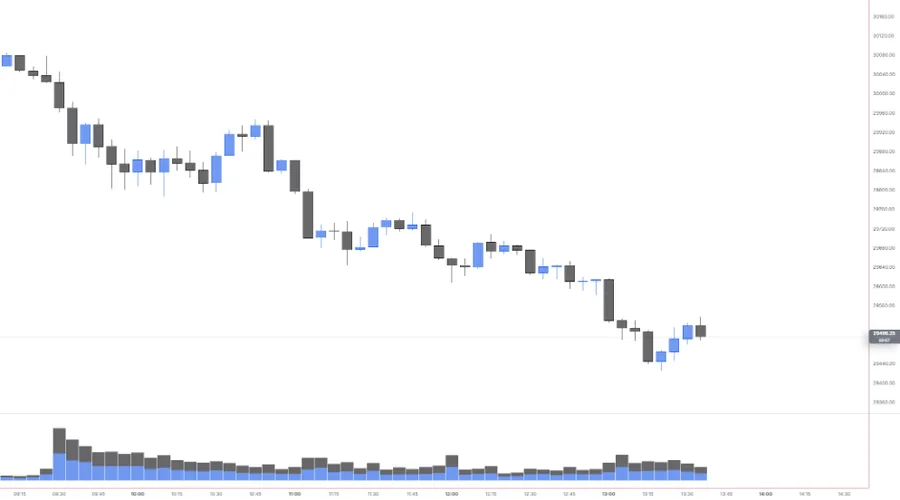
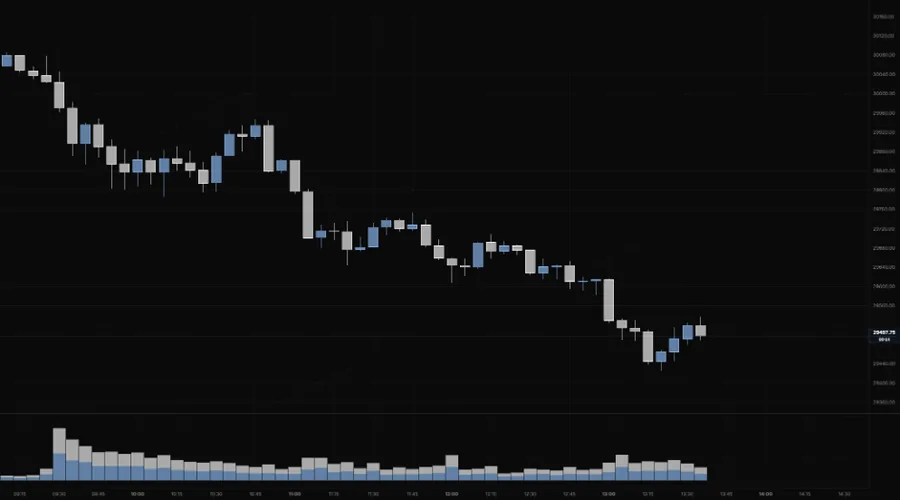
NQ 5m, Oct 16, 2026 · Atlas
Adding the indicator
Open the chart settings panel and use the Add button in the Indicators section. Volume sits in the Subpane group. You can add up to four, for example one Stacked and one Net, each in its own pane.
Settings
| Setting | Options | What it controls |
|---|---|---|
| Mode | Stacked (default), Net, Total | Stacked shows the buy, sell and unknown split. Net shows buy minus sell as one bar per candle. Total shows raw volume in a single colour. |
| Sides | Buy, Sell, Unknown (all on) | Which parts draw in Stacked mode. Ignored in Net and Total, and kept for when you switch back. |
Reading notes
- Colours follow your candles. Buy volume takes your up-candle colour and sell volume your down-candle colour.
- Unknown is honest, not missing. Volume whose side can't be read stays in its own segment instead of being split between buy and sell.
- On stocks and ETFs the volume is a sample of the full tape, so read the sizes as relative, bar against bar. Futures read their own full tape.
- Want the running total? CVD adds buy minus sell up through the session from the same trade sides.
Last updated