 Atlas
AtlasShapes
Ellipses and triangles for circling an area of the chart or framing a pattern by hand.
Shapes are for marking an area you want to come back to: a messy consolidation, a reversal zone, a pattern you're watching form. They don't measure or calculate anything, they just hold your eye on the spot. Every tool, grouped: Drawing tools overview.
Ellipse
An oval you fit inside a box, for circling a cluster of bars.
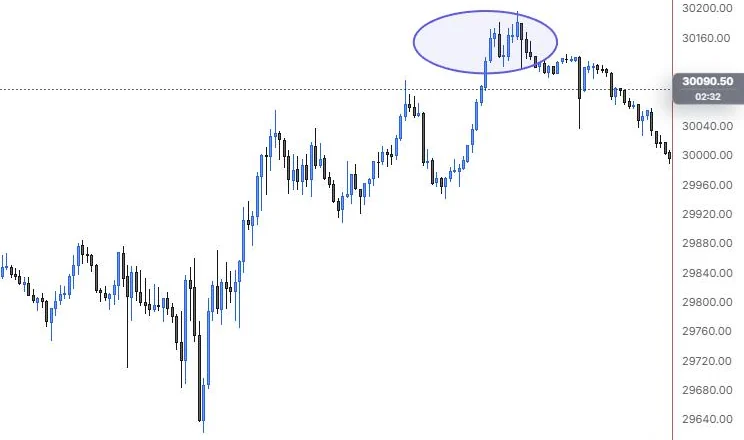
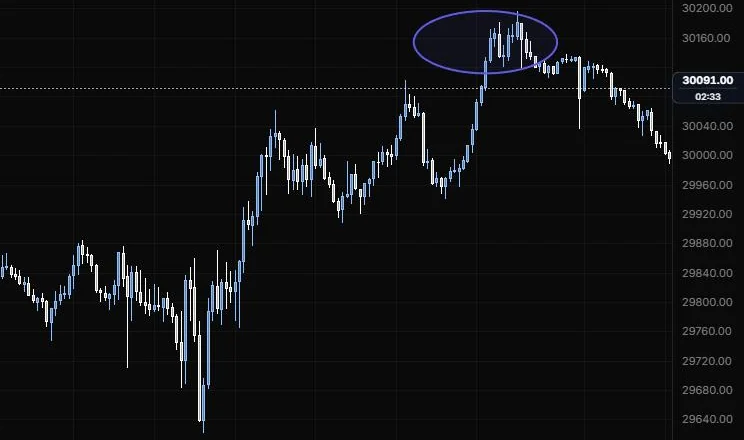
NQ 5m, Oct 15, 2026 · Atlas
How to place: two clicks. Click one corner of the area you want to circle, then the opposite corner. The ellipse fills the box between them. Filled ellipses can be grabbed from the inside; with the fill off, grab the outline.
Good for: circling a choppy overnight range, or a group of wicks that all rejected the same price, so it stands out when you scroll back later.
Example: On NQ 5m (Oct 15, 2026), click above and left of the 15:00 bars, then below and right of the 16:00 bars. The ellipse rings the whole top, including the 15:45 session high, with a light fill. When you scroll back later, the area where the afternoon rally stalled jumps out straight away.
Settings
| Setting | Options | What it does |
|---|---|---|
| Fill | On or off, default on | Shades the inside of the ellipse. |
| Fill colour | Any colour, default empty (the line colour) | Lets the fill differ from the outline. |
| Fill opacity | 0 to 50%, default 8% | How strong the shading is. |
| Bounding box when selected | On or off, default on | Shows the box the ellipse sits in while it's selected, so you can see the corners you're dragging. |
| Bounding box | Line role: show or hide, solid/dashed/dotted, width, opacity (default dashed, 1 px, 35%) | The style of that box. The ellipse's own outline uses the style bar. |
Triangle
A three-point shape, for framing a wedge or a turn by hand.
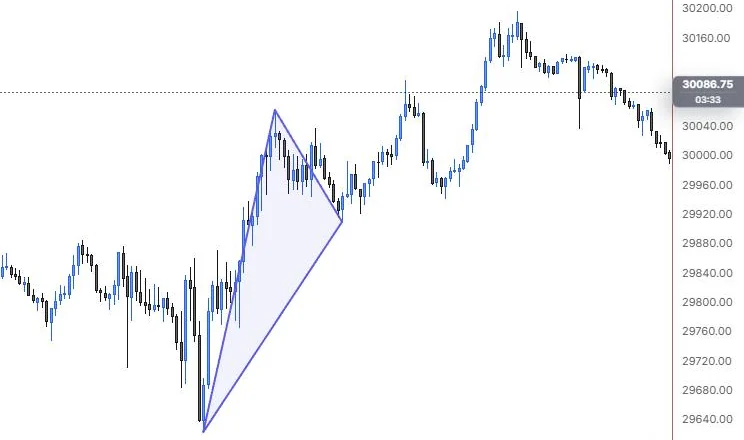
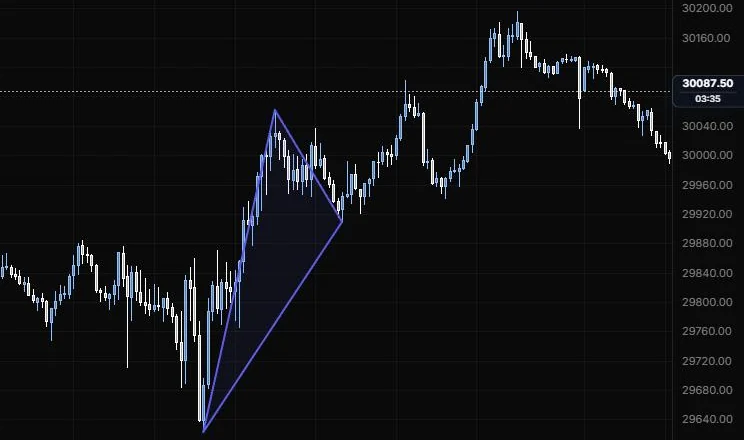
NQ 5m, Oct 15, 2026 · Atlas
How to place: three clicks, one for each corner (first vertex, second vertex, third vertex). Filled triangles can be grabbed from the inside; with the fill off, grab the outline.
Good for: shading a quick contracting pattern without setting up a full pattern tool, or marking the three swings of a turn you want to remember.
Example: On NQ 5m (Oct 15, 2026), click the 9:55 low, the 11:15 high and the 12:25 low. The shaded triangle frames the morning's first swing: the run off the day low and the pullback that followed. It doesn't measure anything, it just keeps those three turns marked for when you come back to the chart.
Settings
| Setting | Options | What it does |
|---|---|---|
| Fill | On or off, default on | Shades the inside of the triangle. |
| Fill colour | Any colour, default empty (the line colour) | Lets the fill differ from the outline. |
| Fill opacity | 0 to 50%, default 8% | How strong the shading is. |
Last updated