 DESKTOP / BETA
Desktop beta · v0.1.3-beta.14
Skylit Desktop.
Your entire desk. A place of its own.
Charts, flow, and market intelligence.
Together in a dedicated desktop app.
Beta software: you may encounter bugs or performance issues. The web app is always available.
macOS 13 or later · Apple Silicon · Signed & notarized
Mac only for now · Apple Silicon
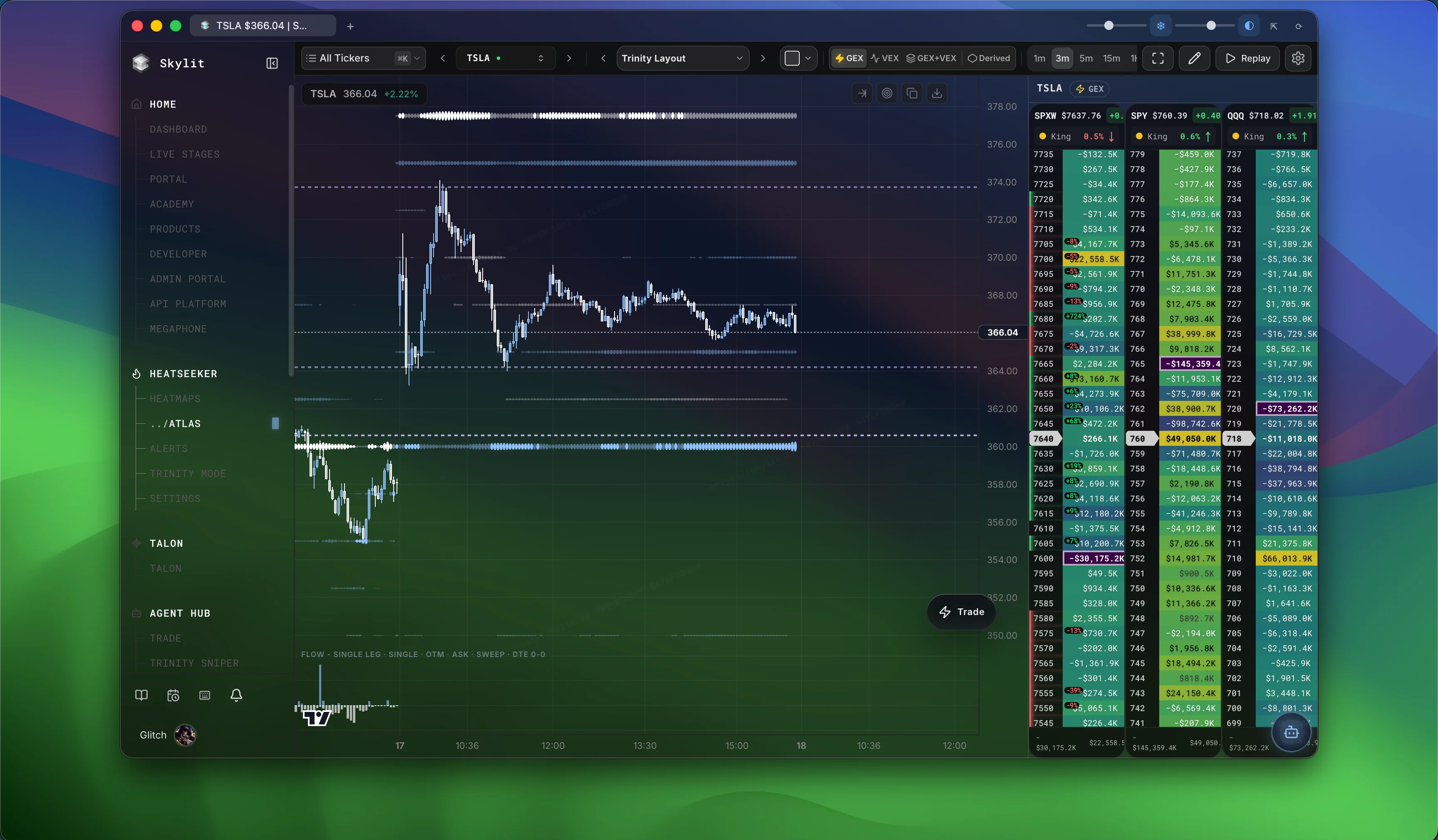
Latest release · v0.1.3-beta.14
What’s new.
- Fixed the stuck “Loading Skylit…” screen after cancelled navigation.
- Slow-loading tabs now offer Retry after 30 seconds, with recovery when the connection returns.
- Fully opaque opacity settings now preserve the normal crisp chart and panel appearance.
- Tabs shrink as your workspace grows. The + button follows your tabs, with scrolling when more space is needed.
- More reliable tab closing, saved names, and tab navigation with Ctrl+Tab, Ctrl+Shift+Tab, and Cmd+1–9.
- Atlas and Heatmap tabs show live ticker prices and daily dollar and percentage changes, with green and red indicators.
- Scale your workspace from 80% to 150% using View → Text Size.
- Improved workspace restoration and a Retry action for failed loads or crashed pages.
- Transparency and frost controls keep your workspace adjustable while text stays crisp.
Still in beta · Apple Silicon · macOS 13 or later · Windows coming soon
01 / A dedicated workspace
Keep your market
in one place.
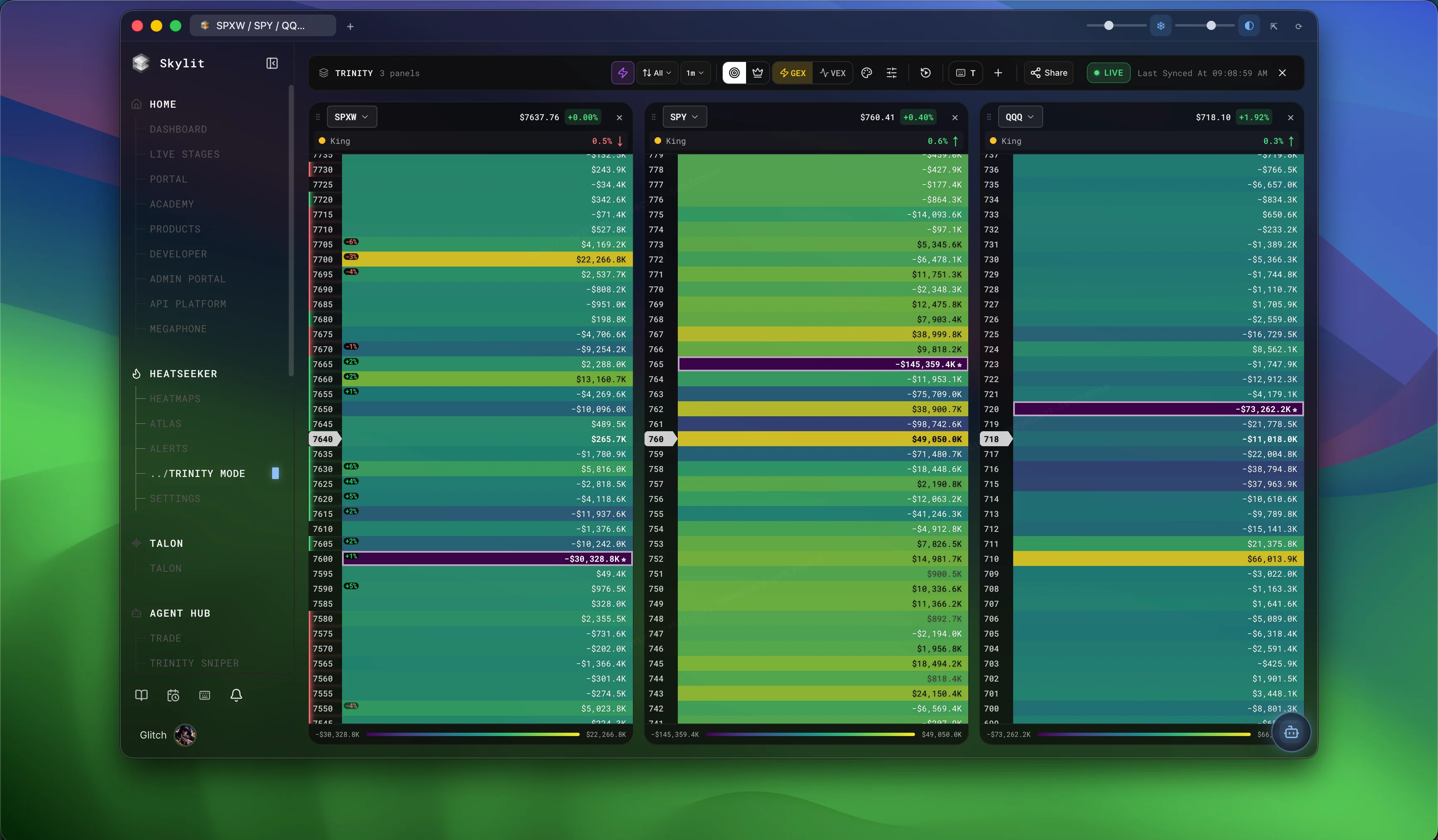
A home for every view. Move between your Skylit tools in dedicated tabs, with your workspace ready when you return.
02 / Make it yours
Less between you
and your view.
Dial in background transparency and native frost. Your text and chart marks stay sharp. Menus stay solid and easy to read.
Your preferred perspective.
Dark, light, and monochrome modes. The same Skylit tools, styled for your setup.
A little more atmosphere.
Independent frost and opacity controls, finished with rounded window corners.
Ready for your Mac.
Signed with our Apple Developer ID and notarized by Apple.
03 / Settle in
From download
to your desk.
Your existing Skylit account. Your familiar workspace.
Download for Mac
Built for Apple Silicon. Requires macOS 13 or later.
Move to Applications
Quit Skylit if it’s open. Open the DMG and drag Skylit into Applications.
Sign in. Make it yours.
Open Skylit from Applications and sign in with your existing account.
On your phone
Use it on your phone.
Skylit is fully responsive, and you can install the web app to your home screen. It opens full screen, like an app, with your existing account.
Open app.skylit.ai on your phone to start.
iPhone and iPad (Safari)
- Open app.skylit.ai in Safari.
- Tap Share.
- Tap Add to Home Screen, then Add.
Android (Chrome)
- Open app.skylit.ai in Chrome.
- Open the browser menu.
- Tap Install app (or Add to Home screen).
A few things to know.
Is this a beta?
Yes. Skylit Desktop is in beta, so you may encounter bugs or performance issues. Report problems through Get Support in Skylit, and use app.skylit.ai if needed.
Is Windows available?
Windows is coming soon. This release is available for Macs with Apple Silicon (M1 or later). An Intel Mac build is not available in this release.
Does desktop include a Skylit subscription?
The desktop app is a free download. Sign in with your existing Skylit account; access to tools follows your current subscription.
Can I still use Skylit in my browser?
Absolutely. The web app remains available at app.skylit.ai. Desktop gives your Skylit workspace a dedicated home.
How do I update the desktop app?
Version 0.1.3-beta.14 checks for updates and downloads them in the background. Use Restart when an update is ready, or install it when you quit. You can also download the latest release here, quit Skylit, and replace the app in Applications. Check About Skylit to confirm your installed version.