 Atlas
AtlasHMA
The Hull moving average: a low-lag average that hugs price closely, with an optional bar offset.
The HMA (Hull moving average) is built to cut most of the lag out of a moving average. It combines two weighted averages so the delay cancels out, then smooths the result over the square root of the period. The line hugs price much closer than an SMA or EMA of the same length.
That makes it good at showing the trend's direction without waiting for it. The trade-off is overshoot: on a sharp V turn in ES, the HMA can swing past price before it settles back.
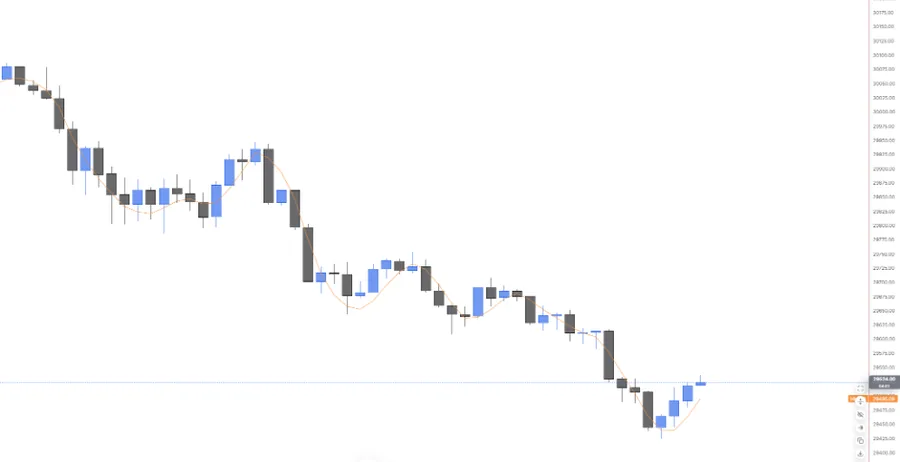
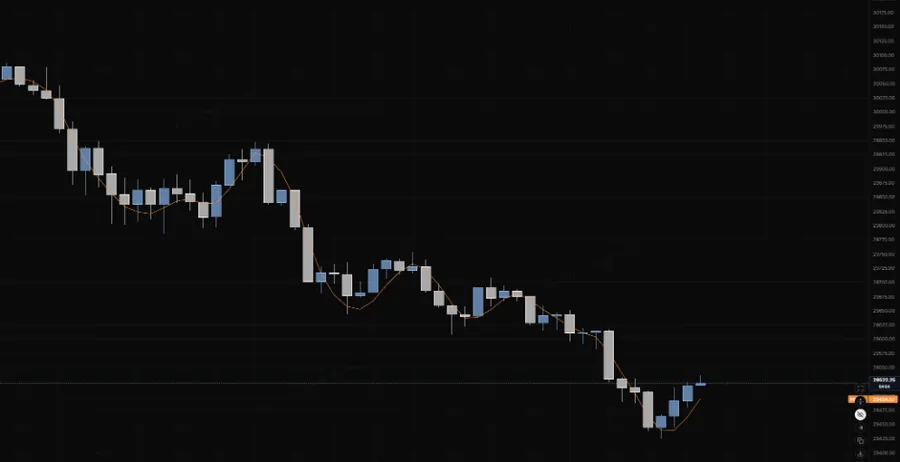
NQ 5m, Oct 16, 2026 · Atlas
Adding the indicator
Open the chart settings panel and use the Add button in the Indicators section. HMA sits in the Overlay group right after EMA and SMA. Each instance gets its own settings cog and can be removed the same way.
Settings
| Setting | Options | What it controls |
|---|---|---|
| Period | 9 (default), any whole number from 1 to 5,000 | The length of the average. |
| Offset | 0 (default), -500 to 500 bars | Shifts the drawn line sideways. Positive moves it right (into the future), negative moves it left. |
| Colour | Any colour | Picked from the palette when you add it, changeable any time. |
| Width | 1 (default), 2, 3, 4 | Line thickness. |
| Style | Solid (default), Dashed, Dotted | Line pattern. |
| Opacity | 10% to 100% (default) | How strong the line draws. |
| Label | Always (default), On hover, Off | The price-axis badge and the name on the chart. On hover shows them only while the crosshair is close to the line. The crosshair readout keeps showing the value either way. |
Reading notes
- Compare it with an EMA of the same length to see how much lag you're cutting. If the HMA is flipping direction every few bars, the period is too short for that chart.
- It's built from the close, so the forming bar's value moves until that bar closes.
- Fast doesn't mean early. The HMA reacts quicker, but it still only knows the bars that have already printed.
Last updated